Features
By Role
By Task
-
Video Monetization
Monetize your live sports and online video courses without any fees. Offer Pay-Per-View * Subscriptions (VOD) * Video Rentals * Custom Ads (VAST & VPAID)
-
Live Streaming
Go live using any hardware or software RTMP encoder. Stream directly from your smart device or IP camera.
-
Media Hosting
Stream smoothly, even on slow connections.
Video Hosting * Image Hosting * Audio Hosting * Global Media CDN * China Video Hosting -
Multistreaming
Stream your live and VoD content to 30+ platforms. The easiest way to reach more viewers and grow your business!
-
Video Channels
Show off your brand, educate followers and engage employees on one platform with the easiest video channel builder.
-
Scheduler
Schedule and stream pre-recorded videos and playlists and simulate live program.
Online TV Channels * Simulated Live TV -
Media Panel
Effortlessly organize, monetize, and distribute your content on a secure, centralized video content management platform.
-
Global Video CDN
Deliver your high-quality video content worldwide with zero buffering, powered by our ultra-fast global CDN with over 65+ edge PoPs
-
Security & Privacy
Military-grade protection for your content. Geo Blocking * Video Encryption * IP Video Restrictions * Domain Restrictions * Password Protection
-
Screen Recorder
Capture screenshots, screen videos, or your webcam and share instantly. All screen captures are saved automatically to your video library for later viewing and sharing.
-
Video Analytics
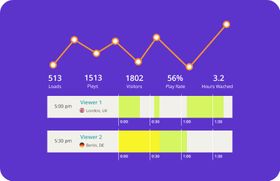
From individual viewer demographics and behavior to trends that show you which pieces of content have the highest impact, our analytics help you understand your audience in-depth.
-
Developers & APIs
Build your own applications on top of our platform and even provide monetization capabilities. Core API * Player API * Pay-Per-View API
Features
By Role
By Task
-
Video Production
Secure video hosting for your client projects.
-
Digital Agencies
Create powerful video campaigns and track engagement with Deep Analytics.
-
Churches & FBOs
Broadcast church services on your site and multiple social media sites.
-
TV & Radio Broadcasters
Stream high-quality video and audio worldwide without delays.
-
Enterprise
Distribute your video content with military-grade protection.
-
Higher Education
Save lectures & staff training videos to the private cloud. Live stream campus events.
-
Online Course Creators
Have complete control over your content and keep 100% of the revenue.
-
Government & Municipalities
Broadcast meetings, create staff training videos and reach constituents online.
-
Healthcare
Build staff & aftercare video portals. Broadcast medical procedures live.
-
Resellers & Affiliates
Launch your own white-label video platform or use our white-label video players or become an affiliate.
-
Customer Support
Close deals faster with personalized videos. Track engagement with Deep Analytics.
-
Sales + Marketing
Stream live, run webinars, capture leads and close deals faster with personalization.
-
Internal Comms
Broadcast all-hands meetings securely. Build employee training portals.
-
Developers
Use our powerful API to create any custom solution you want.
-
Learning and development
Create and manage an internal learning center without IT
Features
By Role
By Task